
AI Automation
How to Automate Payment Reminders and Billing Follow-Up Workflows
A large share of B2B invoices are paid late, and the cash flow strain compounds every month. Here's a practical framework for automating your payment reminders.
The free 30-minute AI Operations Audit is a conversation about a normal week in your business and where the work piles up. We find the one change that would give you the most time back and send you a plain-English plan for it. No forms and no pitch.
Book a free AI audit
Patrick Gibbs
Late B2B invoices put earned revenue in limbo, and structured payment reminder workflows give businesses a more consistent way to collect without constant manual chasing. This guide covers the full architecture: reminder cadence design, conditional logic, integration stack, and ROI calculation.
Late payments are the silent killer of small business cash flow. For any company invoicing meaningful monthly volume, late payments can mean earned revenue sitting in limbo, quietly straining payroll, vendor relationships, and growth capital.
The traditional response is to assign someone on your team to manually chase invoices: draft a reminder email, follow up with a phone call, log the status in a spreadsheet, and repeat the cycle indefinitely. If you are still sending invoice emails from an Excel list by hand before any AR workflow exists, fix that batch send first, then layer cadence and escalation. It works, sort of, but it’s expensive, deeply inconsistent, and doesn’t scale. A billing coordinator juggling a large open-invoice queue will inevitably miss some. The longer invoices age without structured follow-up, the more risk moves from “slow payment” to “probably not collectible.” The longer you wait, the more money you lose, not to bad clients, but to inaction.
Automation changes the math entirely. Our companion guide on invoice and payment reminder automation covers where AI voice technology specifically fits into the collections equation. Not because it’s a shiny technology solution, but because structured, automated AR workflows can shorten Days Sales Outstanding (DSO), reduce manual follow-up, and make unresolved accounts visible sooner. This guide walks through exactly how to build that system: the architecture, the messaging cadence, the escalation logic, the integration stack, and how to calculate whether the investment pays off.
The True Cost of Manual Accounts Receivable
Before building a solution, it’s worth quantifying the problem precisely. Most business owners have a rough sense that late payments hurt, but few have calculated the total cost of their current AR process. When you add it up, the number is usually jarring.
Start with direct labor costs. Count the weekly hours spent on AR follow-up, multiply by the fully loaded cost of the people doing the work, and separate routine reminder work from true dispute resolution. Then add the cost of every manual outreach action: dial time, voicemail, logging, callbacks, and status updates. That is the labor baseline automation has to beat.
Then there’s the opportunity cost of elevated DSO. Every day an invoice sits unpaid, you’re effectively extending an interest-free loan to your customer. Use your average receivables, cost of capital, and current DSO to estimate the financing cost tied up in late collections. Reducing DSO has value because it releases working capital back into the business sooner.
Finally, and most painfully, there’s the revenue that simply never gets collected. The root cause isn’t always client insolvency: it’s often that follow-up was inconsistent, the invoice got lost in someone’s inbox, or the internal escalation process failed. Systematic automation eliminates most of those failure modes. The receivables that do go bad will do so for legitimate reasons, not because the ball got dropped.
How Automated Payment Reminder Workflows Actually Work
An automated billing follow-up workflow is not simply a scheduled email blast. Done correctly, it’s a conditional logic engine that monitors invoice status in real time, triggers the right communication at the right time, personalizes the message based on client history and invoice amount, and escalates appropriately when payment doesn’t materialize. The distinction between a basic reminder system and an intelligent workflow is significant, and the results reflect it.
At its core, the system needs four components:
- A data source: your invoicing or accounting software (QuickBooks, Xero, FreshBooks, Stripe, etc.) with API access or webhook support, so the automation layer knows when invoices are created, updated, and paid
- A workflow engine: a platform like n8n, Zapier, Make.com, or a custom service that handles the conditional logic, timing, and branching rules
- A communication layer: email (via SendGrid, Postmark, or Gmail API), SMS (Twilio), or even AI voice calls for high-value escalations
- A CRM or logging system: somewhere to record every touch, response, and status change so nothing falls through the cracks and your team always has context
The workflow fires based on triggers: invoice created (to send a payment confirmation and link), invoice approaching due date (proactive reminder), invoice overdue by N days (escalating follow-up), and invoice paid (confirmation and thank-you). For businesses dealing with high data entry volumes alongside AR, our guide on eliminating manual data entry with AI covers the automation tools that handle the upstream data problem. Critically, the system must check payment status before sending every outreach: nothing damages a client relationship faster than sending a collections email to someone who paid three days ago.
More sophisticated implementations layer in AI to personalize the messaging tone. A client who consistently pays late despite standard terms gets a different message than a first-time late payer. A high-value invoice warrants a different escalation path than a small balance. These decisions, which a human AR coordinator would make instinctively, can be encoded into conditional branches and AI-generated messaging that maintains a consistent standard across every account.
Designing Your Reminder Cadence: Timing Is Everything
The single biggest driver of collection success is when you reach out, not just whether you reach out. The optimal reminder sequence includes proactive outreach before the due date, not just after. Clients who receive a “just a heads up, your invoice is due Friday” message pay earlier and at higher rates than those who only hear from you once they’re already late.
Here is a proven cadence framework that works across most B2B and service-based business contexts:
| Timing | Channel | Tone | Primary Goal |
|---|---|---|---|
| Invoice sent (Day 0) | Confirmatory, helpful | Confirm receipt, provide payment link, set expectations | |
| 5 days before due | Friendly, proactive | Remind without pressure, offer to answer questions | |
| Due date (Day 0 of overdue) | Neutral, informational | Confirm due date, provide payment options | |
| 3 days past due | Email + SMS | Direct but warm | Flag overdue status, ask if there's an issue |
| 7 days past due | Email + phone | Firm, professional | Request payment commitment or payment plan |
| 14 days past due | Email + phone | Formal, urgent | Final internal notice before escalation |
| 30+ days past due | Certified letter / senior contact | Formal, legal adjacent | Escalate to decision-maker, reference consequences |
A few nuances that make a real difference in this cadence. First, the 5-day pre-due reminder is frequently the highest-performing touch in the sequence: it catches clients while they still have time to process payment in their current pay cycle, rather than asking them to scramble retroactively. Second, the Day 3 overdue message should explicitly ask an open question: “Is there anything on our end that’s holding this up?” This surfaces legitimate disputes or billing errors early, before they fester into a contentious collection situation. Third, SMS outreach can be useful for overdue notices because it is harder to ignore than email, but it should be used carefully and compliantly.
Cadence length matters too. Most collectible invoices are resolved within the first few touches of a well-structured sequence. If you’re still manually managing accounts past touch three, something in your process (pricing, client fit, or payment terms) likely needs examination, not just more reminder emails.
See How AI Is Used in Accounting: Real Applications for 2026 for more in this area.
AI-Driven Escalation Logic and Personalization
Where modern automation pulls significantly ahead of basic scheduled reminders is in intelligent escalation logic. This is the difference between a system that fires the same template at every client on the same schedule versus a system that adapts based on client behavior, invoice value, relationship history, and real-time signals.
Consider a few scenarios where rule-based escalation changes outcomes:
- High-value client, first late payment: A client with a strong payment history who misses a due date for the first time should receive a warm, relationship-conscious message, not a firm collections notice. The automation detects payment history, selects the appropriate message template, and may route to a human account manager for a personal call rather than continuing the automated sequence.
- New client, repeated late payment: A client who paid late on their first invoice and is late again should trigger a different branch, one that considers requiring upfront deposits or credit card authorization on file for future work.
- Invoice amount threshold: Invoices above a defined threshold automatically route to a human-reviewed escalation path rather than continuing automated follow-up indefinitely. Below that threshold, the system can handle the full sequence autonomously.
- Partial payment received: The system detects a partial payment, updates the outstanding balance, sends a confirmation of payment received, and resets the follow-up sequence around the remaining balance, without any manual intervention.
AI-generated messaging adds another layer of quality. Rather than static templates that can feel robotic after repeated contact, a language model can generate contextually appropriate variations that maintain a consistent brand voice while avoiding the “form letter” feel. For high-value accounts, this matters: a strategic client receiving a later reminder should not receive something that reads identically to what any anonymous debtor would receive. AI can interpolate project names, reference previous interactions logged in your CRM, and adjust formality based on how the client has historically communicated.
One important guardrail: any AI-generated outreach for billing follow-up should be reviewed or logged centrally. Errors in billing communications (wrong amounts, wrong client names, references to payments already made) create serious trust damage. Build a human-in-the-loop review step for any messages above a certain invoice threshold, and ensure the system always fetches real-time payment status from your accounting software before firing any communication.
Integration Architecture: Connecting the Stack
The specific tools you use matter less than how well they’re connected. A fragmented stack where your invoicing software, email platform, CRM, and payment processor don’t share data in real time will produce reminder systems that step on each other and create exactly the kind of client embarrassment you’re trying to avoid.
Here is a practical integration architecture for a small-to-midsize business:
- Accounting/Invoicing layer: QuickBooks Online, Xero, or FreshBooks as the system of record for invoices, payments, and client data. These all expose reliable APIs and/or webhook support. Configure webhooks to fire on invoice creation, payment recorded, and payment overdue events.
- Workflow engine: n8n (self-hosted, excellent for complex conditional logic), Make.com (strong native integrations, lower technical barrier), or Zapier (easiest but most limited for complex branching). n8n is the strongest choice for building multi-branch, conditional escalation logic without per-task pricing constraints.
- Email delivery: Postmark or SendGrid for transactional reliability and delivery tracking. Avoid sending billing reminders from a shared marketing ESP: deliverability and tracking need to be isolated from your marketing list sending.
- SMS: Twilio for programmatic SMS, or a platform like Attentive if you need a managed option. For billing reminders, Twilio’s direct API gives you the control and compliance features (opt-out handling, quiet hours) that billing communications legally require in many jurisdictions.
- CRM logging: Every outreach event (sent, opened, bounced, replied) should write back to your CRM (HubSpot, Pipedrive, or even a simple Notion database for smaller operations). This gives any human who picks up the account full context without needing to dig through email threads.
- Payment portal: Stripe, Square, or your processor’s hosted payment page. Every reminder communication should include a direct, one-click payment link. Friction kills collection rates. If a client has to log into a portal, find the invoice, and navigate three screens to pay, your conversion on that touch drops dramatically.
For businesses already using a platform like HubSpot or Salesforce, both have native payment and billing follow-up features worth evaluating before building a custom workflow. The tradeoff is flexibility: native tools are faster to implement but harder to customize around complex escalation logic. Custom workflows built on n8n or Make.com take longer to configure but can handle edge cases that no out-of-the-box solution anticipates.
Calculating ROI: Making the Business Case
Figures in this section are illustrative planning assumptions, not measured industry data.
Before committing to an implementation, it’s worth running a clear-eyed return-on-investment calculation. The inputs are usually available from your existing accounting data and the math is straightforward.
Step 1: Calculate your current DSO.
DSO = Total Accounts Receivable divided by Total Credit Sales, multiplied by the number of days in the measurement period.
Compare that number with your payment terms. The gap between expected collection timing and actual collection timing is the drag automation should reduce.
Step 2: Estimate DSO improvement from automation.
Model a conservative DSO reduction from structured automated follow-up, and treat anything beyond that as upside.
Step 3: Calculate the cash flow value of faster collection.
Use this formula: annual credit sales divided by days in the year, multiplied by DSO improvement. That estimates the working capital freed up by faster collection. If that capital displaces a line of credit, improves payroll flexibility, or avoids late vendor payments, the value is larger than the accounting line item.
Step 4: Add recovered bad debt.
If your business currently writes off revenue because follow-up happens too late or inconsistently, estimate how much earlier intervention can recover. Keep this conservative. The strongest case for automation does not require pretending every bad debt becomes collectible.
Step 5: Subtract implementation and operating costs.
Implementation cost includes workflow software, email delivery, SMS delivery, accounting integration, testing, staff training, and ongoing maintenance. Add the initial setup time at whatever your internal or agency rate is.
The business case is strongest when DSO improvement, reduced manual chasing, and fewer missed escalations all point in the same direction.
Implementation Priorities: Where to Start
The most common mistake businesses make when automating AR is trying to build the full system all at once. The right approach is to sequence your implementation around impact-per-effort, starting with the touches that recover the most money.
Start with the pre-due and day-of-due reminders. These require almost no escalation logic, carry low client relations risk, and reach clients while they’re still in “easy to pay” territory. Connect your invoicing software to an email workflow, test it on a small batch of invoices, and measure the change in average payment timing before building further.
Next, add the days 3 and 7 overdue sequences, including SMS. This is where the majority of your collectible-but-slow invoices will be caught. Keep the messaging professional and solution-focused: ask about blockers, offer alternative payment arrangements, and always include the payment link.
Only after the foundational phases are stable should you invest time in high-value account segmentation, AI-generated personalization, and complex escalation branching. Those features improve performance at the margin: the foundational cadence is what drives most of the DSO improvement.
One final practical note: document your escalation rules explicitly before you start building workflows. Decision trees written on paper before touching any tool catch edge cases that become expensive debugging sessions later. Know your thresholds (what amount triggers human review, what client history pauses automated outreach, what constitutes a dispute versus a delay) and encode those decisions deliberately.
A Final Word on Tone and Client Relationships
Automated billing follow-up done poorly reads like a debt collection agency operating on your behalf. Automated billing follow-up done well reads like a competent, professional company that takes cash flow seriously and communicates consistently. The difference is almost entirely in messaging quality and the intelligence of your escalation rules.
Always give clients a clear path to resolution in every communication. Payment link, contact information, and an explicit invitation to raise disputes should appear in every touch from the first reminder through escalation. The goal is to remove every possible excuse for non-payment except genuine inability or bad faith, and those cases require human judgment, not another automated email.
Track your unsubscribe and complaint rates on billing communications. If clients are marking your reminders as spam, your cadence is too aggressive or your messaging is too impersonal. Healthy automated AR workflows should generate more thank you replies (“oh, I forgot, paid now”) than complaints. When that ratio flips, something in the system needs tuning.
The businesses winning on cash flow in the current environment are not necessarily those with the best clients: they’re the ones with the most disciplined, consistent follow-up systems. Automation makes consistency effortless. The only remaining question is whether you build it this quarter or spend another year paying someone to do manually what a workflow can handle consistently. Our complete AI workflow automation guide covers the broader implementation framework for layering this alongside other automations. For most operators, that question answers itself. Agencies like Epiphany Dynamics specialize in exactly this kind of implementation for service businesses that would rather spend one setup cycle than perpetual manual hours, but regardless of how you get there, the system itself is what pays off.
Step-by-Step Workflow: How to Automate Payment Reminders
Step 1: Connect your invoicing software. Link QuickBooks, Xero, or FreshBooks to a workflow engine (n8n, Make.com, or Zapier) via API or webhook. This is your data source for invoice creation, payment status, and due dates.
Step 2: Set up pre-due reminders. Configure a “5 days before due” email that proactively notifies clients. This touch alone catches most collections because clients still have time to process payment in their current cycle.
Step 3: Configure the overdue escalation sequence. Build a multi-step flow: Day 0 (neutral due-date notice), Day 3 (email + SMS asking if there’s a blocker), Day 7 (firm email + phone), Day 14 (formal notice with urgency). Include a direct payment link in every message.
Step 4: Add AI personalization for high-value accounts. For invoices above your defined threshold, route the follow-up to a human-reviewed path. For standard accounts, let the full automated sequence run. Use AI to vary message tone based on client history.
Step 5: Monitor DSO and recovery rates. Track your Days Sales Outstanding monthly. Review unresolved accounts on a defined schedule for human escalation.
Ready to build a payment reminder system? Book a consultation with Epiphany Dynamics to set up automated billing workflows that reduce your DSO and recover late payments. We integrate with your existing accounting tools and configure the full escalation sequence for your business type.
Frequently Asked Questions
Q: How much does automated payment reminder software cost for a small business?
Cost depends on the workflow engine, email delivery, SMS volume, accounting integration, testing, and maintenance. A simple native workflow inside your accounting or CRM platform may be enough. A custom n8n or Make.com workflow costs more to configure but gives you more control over branching, escalation, and logging.
Q: What is the optimal payment reminder cadence to maximize collection rates?
A practical sequence sends a proactive reminder 5 days before the due date, a neutral reminder on the due date itself, and escalating follow-ups at 3, 7, and 14 days past due before escalating to human outreach. Many collectible invoices resolve within the first few touches of a well-structured sequence. The pre-due reminder is useful because it catches clients while they still have time to process payment in their current pay cycle.
Q: How does automated billing follow-up affect client relationships?
Well-executed automated follow-up strengthens rather than damages client relationships by demonstrating professionalism and consistency. Clients who receive a clear, friendly reminder before a due date often appreciate the heads-up. Problems arise when automation is impersonal, uses an aggressive tone before a client has had reasonable time to pay, or, worst of all, sends collection notices to clients who have already paid. Always verify real-time payment status before sending any follow-up communication, and include a clear path to dispute resolution in every message from the first reminder.
Q: What is Days Sales Outstanding (DSO) and how does automation improve it?
DSO measures how many days on average it takes to collect payment after a sale. Calculate it by dividing accounts receivable by credit sales, then multiplying by the number of days in the measurement period. Structured automated reminder sequences can reduce DSO, freeing working capital and reducing implicit financing costs.
Patrick Gibbs
AI Automation Expert
Patrick Gibbs helps professional practices implement AI automation that captures more leads, books more appointments, and scales without adding overhead. He's the founder of Epiphany Dynamics and creator of the AI Front Desk system.
Related Solutions
Build this into a real workflow
Related Posts
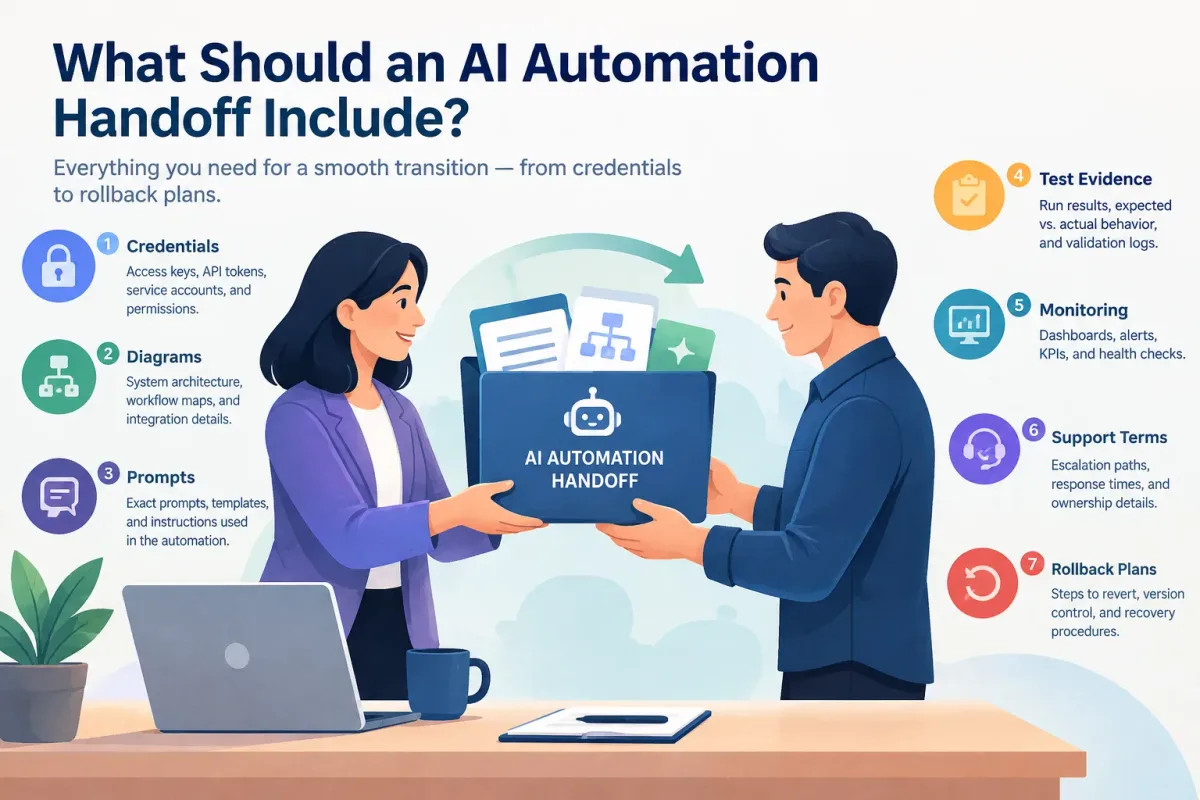
What Should an AI Automation Handoff Include?
Learn what a complete AI automation handoff includes: credentials, diagrams, prompts, test evidence, monitoring, support terms, and rollback plans.
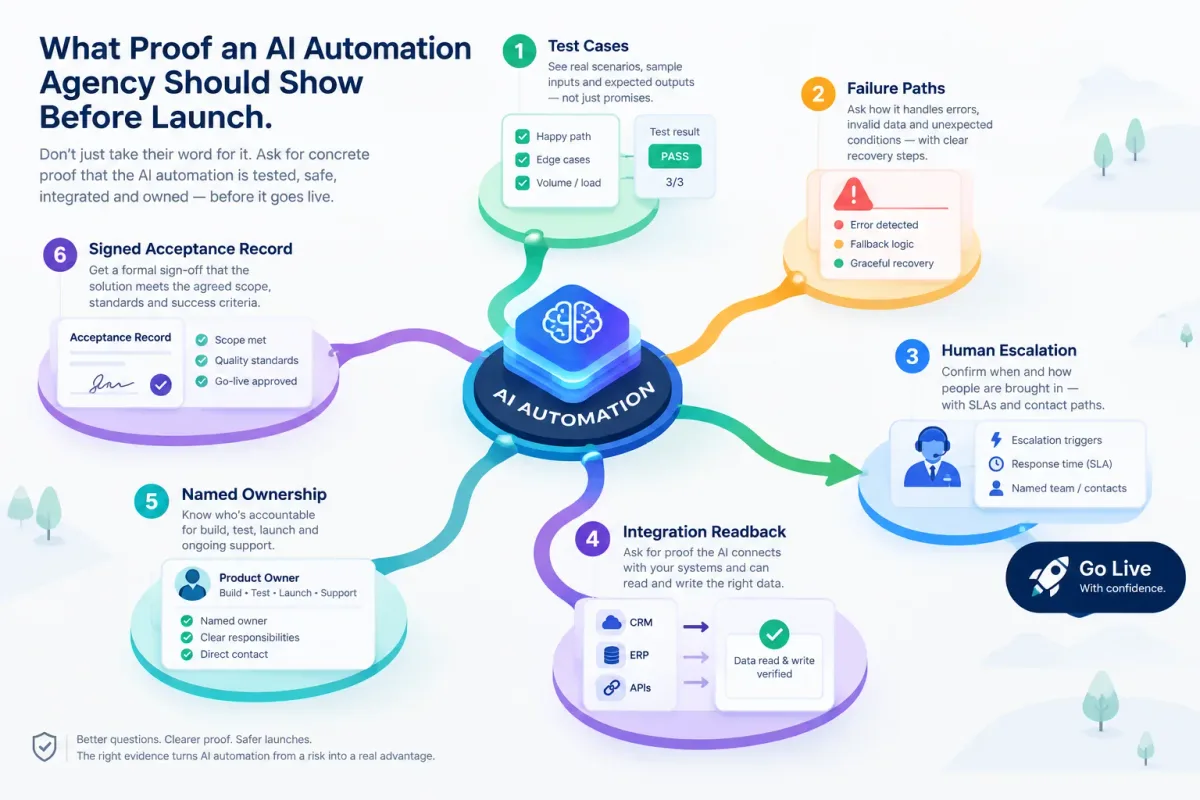
What Proof an AI Automation Agency Should Show Before Launch
Before an AI automation goes live, ask for test cases, failure paths, human escalation, integration readback, named ownership, and a signed acceptance record.
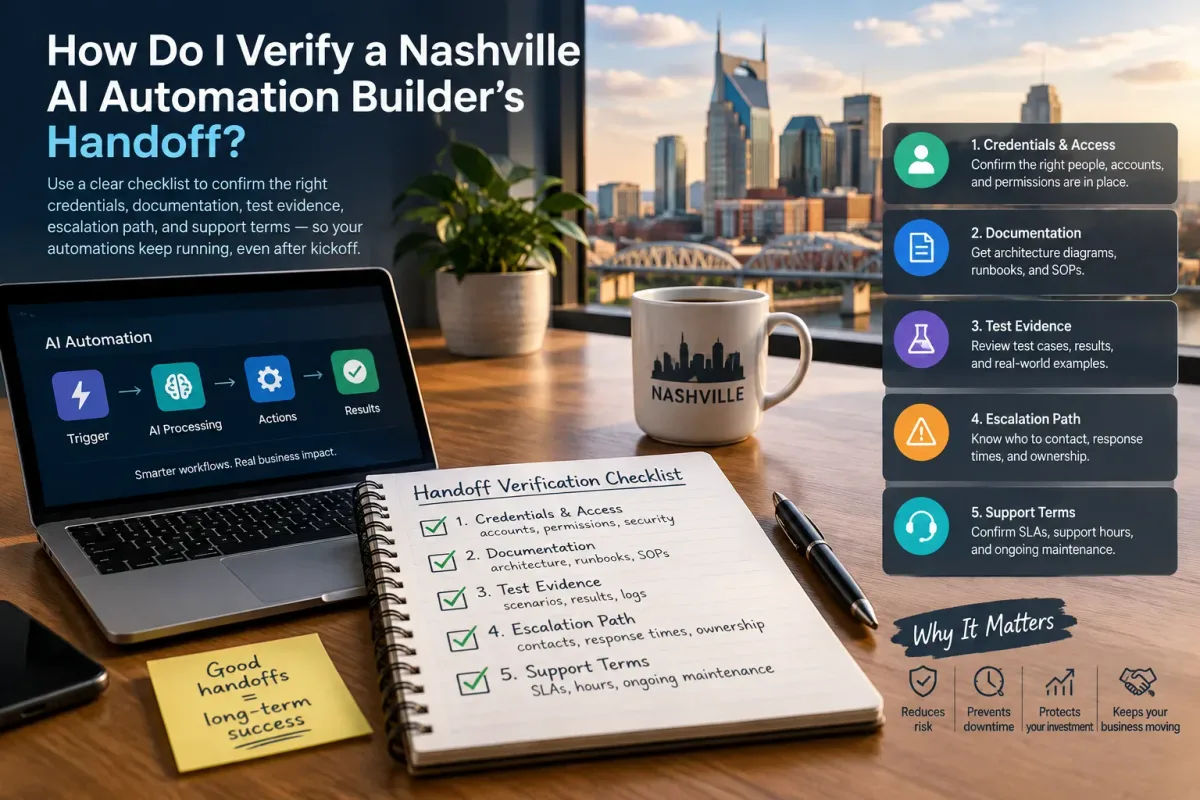
How Do I Verify a Nashville AI Automation Builder's Handoff?
Verify a Nashville AI automation builder's handoff with a checklist covering credentials, docs, test evidence, escalation, and support terms.