
Solutions & Services
AI Automation Pricing Guide: What Drives Cost for Small Businesses
Every Epiphany Dynamics build is a fixed-price project, quoted in writing after a free 30-minute audit. We do not publish a price list because every build is scoped to your tools and your workflow.
What Epiphany Dynamics charges.
Every Epiphany Dynamics build is a fixed-price project, quoted in writing after a free 30-minute audit. We do not publish a price list because every build is scoped to your tools and your workflow. Ongoing support after launch is optional and priced with the build. Third-party costs such as phone lines and API usage are billed to your own accounts at cost.
See pricingAI automation pricing depends on workflow scope, volume, integrations, and support. This guide shows how to compare quotes, spot hidden costs, and model ROI.
The free 30-minute AI Operations Audit is a conversation about a normal week in your business and where the work piles up. We find the one change that would give you the most time back and send you a plain-English plan for it. No forms and no pitch.
Book a free AI audit
Patrick Gibbs
AI automation pricing for small businesses depends on what the system handles, how much volume it processes, how many tools it connects, and how much setup or support you need. The right way to compare options is by pricing model, workflow scope, integration depth, usage limits, and the cost of the problem being automated.
Use this range as a market benchmark only. Epiphany Dynamics scopes each automation after reviewing your systems, volume, workflow complexity, and expected ROI during the free audit.
Why AI Automation Pricing Is All Over the Map
"AI automation" covers dozens of different tools solving different problems. Asking "how much does AI automation cost?" is like asking "how much does a vehicle cost?" A bicycle and a pickup truck are both vehicles, but they serve different purposes at very different price points. For businesses just getting started, our guide to automating repetitive tasks helps identify which automations deliver the fastest payback.
The confusion gets worse because vendors use different pricing models. Some charge per month. Some charge per minute. Some charge per contact or per action. And some bundle everything into tiers where you're paying for features you'll never use.
This guide breaks it down by service type so you can estimate your actual costs based on what you need, not what a sales page wants you to buy. For AI phone answering specifically, our detailed AI secretary cost breakdown covers hidden fees and billing models across every major platform.
AI Automation Pricing by Service Type
The table below maps the most common AI automation categories to the cost drivers that usually move the quote. Use it as a buying checklist, then confirm live prices with each vendor before committing.
| Service Type | Primary Cost Driver | Setup Driver | Pricing Model |
|---|---|---|---|
| AI phone answering | Call volume, voice quality, and included minutes | Call flow design, knowledge base, and phone routing | Monthly subscription + per-minute overage |
| AI chatbot (website) | Conversation volume and supported channels | FAQ training, escalation rules, and website integration | Monthly subscription, tiered by conversations |
| Lead follow-up automation | Contact count, campaign complexity, and CRM tier | Sequence writing, routing logic, and CRM cleanup | Monthly subscription, tiered by contacts |
| Appointment scheduling AI | Calendar count, reminder channel, and scheduling rules | Calendar setup and booking-policy configuration | Freemium with paid upgrades |
| Review collection automation | Location count, review volume, and response workflow | Template writing and review-site connection | Monthly subscription, per-location |
| Email marketing automation | Contact count, segmentation depth, and send volume | List cleanup, form setup, and sequence migration | Tiered by list size |
| Workflow connectors (Zapier, Make) | Task, operation, or credit volume | Workflow mapping and app authentication | Per-task pricing or monthly plans |
| Custom AI workflow build | Number of systems, workflow complexity, and support model | Discovery, build, testing, and handoff documentation | Monthly retainer + one-time build |
| Full-service AI automation package | Number of workflows, service level, and reporting needs | Implementation plan, data cleanup, integrations, and rollout | Monthly retainer, all-inclusive |
The Three Pricing Models Explained
AI automation vendors use three primary pricing models: flat monthly subscriptions, usage-based pricing (per minute, per contact, or per action), and hybrid models that combine a base fee with usage charges. Understanding which model fits your volume is the difference between getting a deal and getting overcharged.
Model 1: Flat Monthly Subscription
You pay a fixed amount each month regardless of usage. This works well for businesses with predictable, moderate volume.
Pros: Predictable budgeting. No surprise bills. Simple to understand.
Cons: You may pay for capacity you don't use. Upgrades to higher tiers can be steep.
Best for: Businesses with steady, predictable call or lead volume.
Example: A flat plan works well when your call or lead volume is steady enough to use the included capacity. If your volume is low or seasonal, normalize the quote to cost per handled interaction before choosing a plan.
Model 2: Usage-Based Pricing
You pay per unit of consumption: per minute of call time, per contact reached, per message sent, or per action completed.
Pros: You only pay for what you use. Low barrier to entry. Scales naturally.
Cons: Costs can spike during busy periods. Harder to budget for. Can feel like a meter running.
Best for: Businesses with variable volume or those just starting to test automation.
Example: Usage-based pricing works well when demand varies month to month because cost follows activity. It becomes harder to budget when call length, message volume, or action count spikes unexpectedly.
Model 3: Hybrid (Base + Usage)
A monthly base fee covers a set amount of usage, with per-unit charges beyond that threshold.
Pros: Combines predictability with flexibility. Protects against zero-usage months and high-usage spikes.
Cons: More complex to evaluate. Overage rates can be high if you regularly exceed the included amount.
Best for: Most small businesses. The base fee covers your typical volume, and overages only apply during unusually busy weeks.
Example: A hybrid plan can protect your budget when typical volume fits inside the base allowance, while still giving you room to absorb busy periods through overage pricing.
Cost Ranges by Business Size
Your total AI automation spend should scale with workflow complexity, operational volume, and the cost of the problem being solved. A solo operator usually needs narrower tools than a multi-location team with cross-department handoffs.
| Business Size | Budget Driver | Buying Pattern | Typical Automations | How to Evaluate ROI |
|---|---|---|---|---|
| Solo operator | Simple call and scheduling needs | Single-purpose tools or freemium plans | AI phone, scheduling | Compare avoided missed calls and saved admin time to tool cost |
| Small team | More follow-up, more handoffs, more customer touchpoints | Bundled tools or light CRM automation | Phone, lead follow-up, reviews | Track booked leads, staff hours, and review/request completion |
| Growing team | Department handoffs, reporting, and operational workflows | Connected communication and operations stack | Full communication stack + operations | Measure recovered revenue, reduced rework, and faster cycle time |
| Established company | Multiple departments, locations, or custom systems | Custom workflows and managed support | Custom workflows, multi-department | Compare against labor, SLA, conversion, and reporting baselines |
A useful rule of thumb: start with the cost of the specific problem, not a generic percentage of revenue. If the workflow does not have enough volume or value to justify the tool, a bigger automation budget will not fix the business case.
How to Calculate Your ROI Before You Buy
Before spending a dollar on AI automation, calculate the cost of the problem you're solving. Most small business owners underestimate how much manual processes cost because the expenses are hidden in staff time, missed opportunities, and customer churn rather than appearing as a line item on a bill.
The ROI Formula
Monthly ROI = (Revenue Gained + Cost Saved) minus Monthly Automation Cost
Use your own inputs instead of borrowed examples. The two most common models are below.
Model 1: AI Phone Answering
| Metric | Current Baseline | After Automation |
|---|---|---|
| Monthly calls received | Your call log volume | Same call volume unless demand changes |
| Calls answered | Answered calls from phone records | Answered and handled calls from AI/human logs |
| After-hours calls captured | Current after-hours bookings | Booked or qualified after-hours calls |
| Leads booked | Current booked-call count | Booked-call count after rollout |
| Average job value | Your average job value | Your average job value |
| Monthly revenue from calls | Booked calls multiplied by average job value | Booked calls multiplied by average job value |
| AI cost | Current phone coverage cost | Subscription, usage, setup, and monitoring |
| Net gain | Baseline | After-automation revenue and savings minus total cost |
This model keeps the math honest because every input comes from your own phone records, CRM, and average job value.
Model 2: Lead Follow-Up Automation
| Metric | Current Baseline | After Automation |
|---|---|---|
| Monthly web leads | Your web lead volume | Same lead volume unless demand changes |
| Average response time | Current median or average response delay | Measured response delay after rollout |
| Lead-to-consultation rate | Current consultation rate | Measured consultation rate after rollout |
| Consultations booked | Current consultations booked | Consultations booked after rollout |
| Consultation-to-treatment rate | Your conversion rate | Your measured conversion rate after rollout |
| Treatments booked | Current treatments booked | Treatments booked after rollout |
| Average treatment value | Your average treatment value | Your average treatment value |
| Monthly treatment revenue from leads | Baseline lead-sourced revenue | Lead-sourced revenue after rollout |
| Automation cost | Current follow-up cost | Subscription, usage, setup, and monitoring |
| Net gain | Baseline | After-automation revenue and savings minus total cost |
Response speed still matters. Research published in Harvard Business Review, "The Short Life of Online Sales Leads", found that firms contacting a lead within an hour of the inquiry were nearly seven times as likely to qualify it as those that waited even an hour longer. AI can help close the response gap, as our guide on improving close rates with AI automation demonstrates in detail.
Hidden Costs to Watch For
The monthly subscription price is rarely the full cost. Setup fees, integration costs, overage charges, and staff training time can materially change first-year cost if you're not paying attention.
Setup and Onboarding Fees
Some vendors include setup in the subscription. Others charge separately for onboarding, configuration, and training. Always ask about setup fees before committing, and compare the first-year cost rather than the monthly subscription alone.
Integration Costs
The AI tool needs to connect to your existing software: calendar, CRM, phone system, payment processor. Native integrations are usually easier to budget. Custom integrations can require middleware, developer work, testing, and maintenance.
Before buying any AI tool, make a list of the software it needs to connect to and verify that those integrations exist. One of the most common reasons small businesses abandon an automation tool is that it couldn't connect to their existing software.
See also AI Automation Cost for Home Service Businesses: What Drives Pricing.
Overage Charges
If you're on a plan with usage caps such as minutes, contacts, messages, tasks, or credits, understand the overage rates. If you're regularly going over, it may be cheaper to upgrade to the next tier than to keep paying overages.
Staff Training Time
Even "self-service" AI tools require someone on your team to learn the system, configure settings, and monitor results. Include training, testing, and recurring review time in your ROI model so labor does not disappear from the calculation.
Switching Costs
If the first tool doesn't work out, switching to a new one means re-doing setup, re-training the AI, and potentially losing data. This is rarely a dollar cost, but it's a time cost that delays your ROI. Reduce this risk by choosing vendors with free trials, month-to-month contracts (no annual lock-in), and data export capabilities.
Annual Price Increases
SaaS tools raise prices, and meaningful annual increases are the norm rather than the exception in B2B software. When comparing vendors, ask about price lock guarantees or multi-year discount options if you want to control long-term costs.
How to Spend Wisely: A Budget Framework
Allocate your AI automation budget around one primary workflow, one supporting workflow, and a small experimentation lane. The exact split should follow your operating data, not a universal percentage formula.
For a practical budget plan:
- Primary automation: the workflow with the clearest revenue recovery or labor savings.
- Supporting automation: the workflow that makes the primary one work better, such as reminders supporting phone booking.
- Experimentation: a small test budget for tools you have not validated yet.
This approach prevents the common mistake of spreading budget across five tools where none gets enough attention to work properly. Concentrate your spend on the automation that directly captures revenue, support it with one complementary tool, and experiment with the rest.
DIY vs. Hiring an Automation Consultant
Setting up AI automation yourself costs less upfront but shifts the burden to your team's time. Hiring an automation consultant costs more upfront but can reduce integration mistakes, speed up implementation, and create better documentation.
| Factor | DIY Setup | Consultant/Agency |
|---|---|---|
| Upfront cost | Your team's time | Project fee or implementation package |
| Time to launch | Depends on internal skill and complexity | Depends on discovery, scope, and integration depth |
| Technical knowledge needed | Moderate | Minimal |
| Integration quality | Basic to moderate | Professional grade |
| Ongoing support | Vendor documentation | Consultant on retainer |
| First-attempt success rate | Depends on process clarity | Depends on implementation quality |
| Best for | Simple, single-tool setups | Multi-system integrations |
If you're setting up a single tool with a clean integration path such as Calendly for scheduling, DIY is fine. If you need an AI phone system connected to your CRM, feeding into an automated follow-up sequence that triggers review requests, hire someone who has done it before. Our guide on AI consultant hourly rates in 2026 breaks down what different specialists charge and how to get the right one for your project.
When AI Automation Is Not Worth the Money
AI automation has negative ROI when volume is too low, your sales cycle is too complex for automated follow-up, or your current processes are broken in ways that technology can't fix.
Specific situations where the cost doesn't justify the return:
- Very low volume: If you receive only a small number of calls, the AI advantage may not matter unless after-hours coverage or simultaneous answering creates meaningful value.
- High-complexity sales: If every inbound inquiry requires a long consultative conversation, AI can qualify and route leads but shouldn't handle the full sales conversation.
- No digital infrastructure: If your business runs entirely on paper, phone, and in-person interactions with no CRM, no email system, and no online calendar, the cost of building that foundation before adding AI makes the total investment much higher.
- Broken underlying process: If customers are unhappy with your service itself, automating faster follow-up won't help. Fix the product/service issues first.
Learn how to test AI automation before scaling to avoid the most common deployment mistakes. See also the complete AI automation guide for small businesses for a full implementation roadmap. For platform comparisons, check our best AI tools for service companies.
Frequently Asked Questions
Q: What's the cheapest way to get started with AI automation?
Start with free or low-cost tools where the workflow is simple. Calendly can handle basic scheduling. Many CRMs include simple email automation. Google Business Profile supports automated messaging. If you want AI phone answering specifically, compare pay-as-you-go plans against monthly subscriptions using your expected call volume.
Q: Are annual plans worth the discount?
Annual plans are worth considering only after you've used the tool on a monthly plan and confirmed it works for your business. Paying upfront for a discount is not a good deal if you stop using the tool later. The exception is tools you're certain about, such as your CRM or scheduling software, where annual billing is a safe bet.
Q: How much should a small business spend on AI total?
Start with the cost of the problems you want to solve. If missed calls, manual scheduling, or repetitive admin work are costing more than the tool, setup, and maintenance, the spend is justified. If the workflow has low volume or unclear value, keep the budget small until the business case is proven.
Q: Do I need separate tools or an all-in-one platform?
All-in-one platforms like GoHighLevel or HubSpot simplify your stack but come with tradeoffs: higher monthly cost, features you don't use, and you're locked into one vendor's tool stack. Best-of-breed individual tools are more flexible but require integration work. Choose based on the workflows you need now and the integrations you know you will need later.
Q: What if the AI makes mistakes that cost me money?
It will occasionally. An AI might misbook an appointment, give incorrect information, or fail to transfer an important call. These incidents should be tracked, reviewed, and reduced over time. The question isn't whether the AI is perfect. The question is whether it performs better than your current alternative.
Q: Can I pause or scale down during slow months?
This depends on the vendor. Month-to-month plans can be cancelled anytime. Some vendors offer "pause" options where you pay a reduced rate to maintain your configuration without active service. Usage-based plans scale down automatically since you only pay for what you use. If your business has significant seasonal swings (HVAC, landscaping, tax preparation), a usage-based or pausable plan saves money during the off-season.
Q: How do I compare vendors when pricing structures are different?
Normalize everything to cost per customer interaction. Estimate your monthly volume, calculate the per-interaction cost for each vendor at that volume, and compare. Add setup fees, integration work, staff training, and maintenance time so the comparison reflects the full operating cost.
Ready to put these numbers to work for your business? If you want a precise estimate based on your actual call volume, staff costs, and integration needs, book a free consultation or review our service pricing with Epiphany Dynamics. We help service businesses across every industry vertical choose the right automation stack and avoid the hidden costs that eat into ROI. You can also explore our recommended AI tools and implementation guides to start building your own cost analysis.
Patrick Gibbs
AI Automation Expert
Patrick Gibbs helps professional practices implement AI automation that captures more leads, books more appointments, and scales without adding overhead. He's the founder of Epiphany Dynamics and creator of the AI Front Desk system.
Related Solutions
Build this into a real workflow
Related Posts
AI Automation Agency for SMBs: What to Look For
A practical guide to choosing an AI automation agency for SMB workflows, from call intake and scheduling to CRM updates, follow-up, and maintenance.
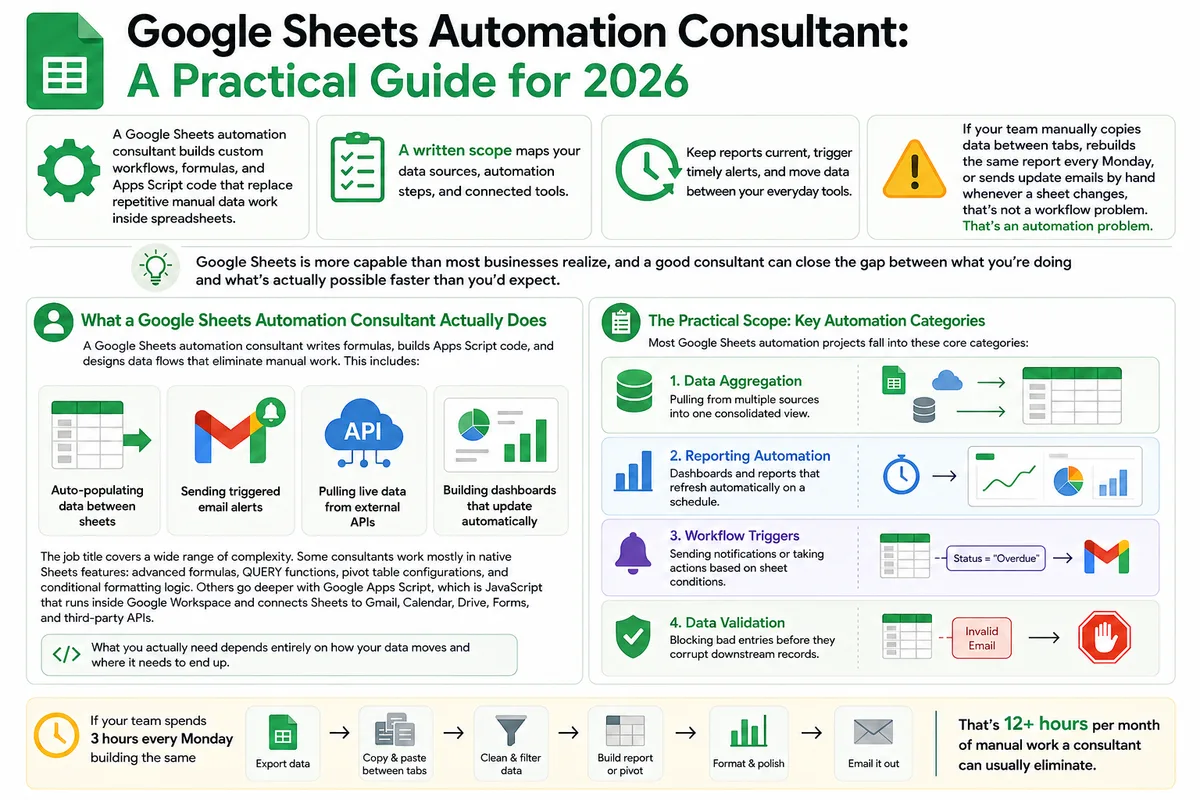
Google Sheets Automation Consultant: A Practical Guide for 2026
Most businesses don't track what spreadsheet work actually costs them. Here's what a Google Sheets automation consultant does in 2026, how to judge the value.

Business Process Automation Consultant for Small Business
Hiring the wrong automation consultant wastes thousands. Here's what small business owners need to know about process, cost, ROI, and how to vet the right one.